Fields to know
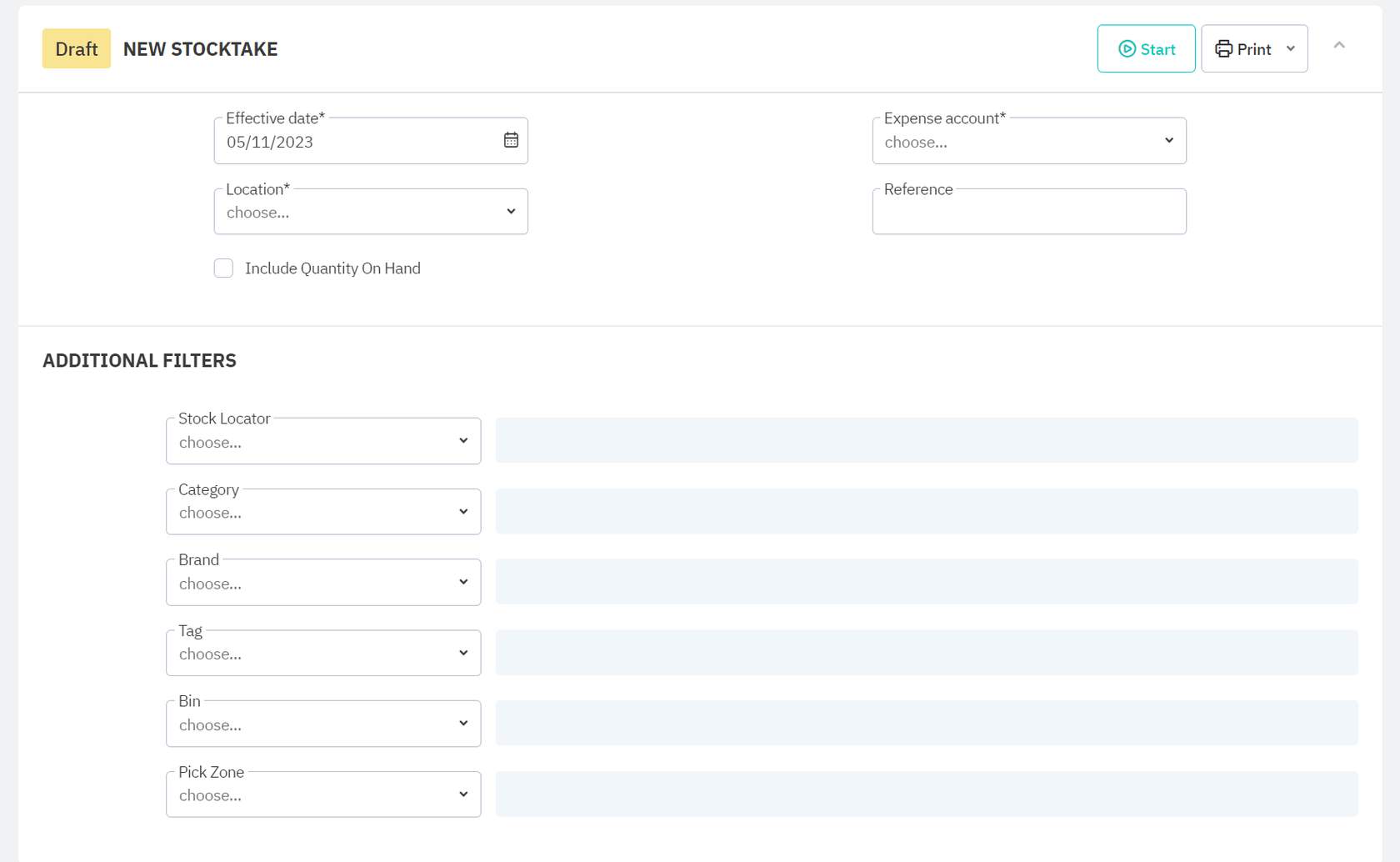
Effective date
The effective date is the date that your financial accounts will reflect the changes from your stocktake.
Location
The location of your stocktake. A stocktake can only run against a single location at a time.
Include Quantity on Hand
This checkbox allows you to enable the visibility of Quantity on Hand. If left unchecked, you would run your inventory audit “blind”, meaning your staff wouldn’t be able to see how many units the system believes are available. This can prevent stock counters from making assumptions.
Expense account
The Expense Account field allows you to choose where the financial impact of the Stocktake will be accounted for (e.g., expense, liability, or inventory control account).
Reference
In the reference field, you can make notes (e.g., the reason for the stocktake).
Additional Filters
Additional Filters allow you to narrow down your stocktake to a specific location within your warehouse, category, brand, tag, Bin, or Pick Zone.
Additional Filters are completely optional.
You should avoid using them if you plan on running stocktakes that cover an entire location.